
Filming Soccer Tournaments: What Parents Must Get in Writing

Confirm the organizer’s media policy and who owns the recordings before you bring a single camera. Then pick the approach that matches your goal: hire a professional for full-game coverage, use an automated player-tracking camera for one athlete’s highlights, or run a DIY setup you have tested at practice. Permission and delivery terms come first, because they decide everything else.
Check event rules and media permissions first
Tournament filming is permission-sensitive. Organizers treat video as a matter of safety, rights, spectator experience and commercial control, so a harmless-looking camera plan can break venue policy if it blocks sightlines or enters a restricted area. Read the event’s media policy before you pack equipment. One published policy requires videographer approval at least 48 hours before a contest, and another lets spectators film only from seating or designated areas, with no commercial use of footage without authorization.
Here is what to look for in the rules:
Camera and tripod limits: some events cap tripod height or ban tripods and action-camera mounts entirely.
Filming locations: spectator areas only, with sidelines and fields often restricted.
Livestreaming: frequently prohibited or allowed only through the organizer.
Commercial use: selling or monetizing footage usually needs written authorization.
Credentials and timing: approval windows vary by event, so ask early.
Rights ownership: some organizers reserve event video rights for themselves, which limits what you can share or sell.
If the policy is silent on something, email the organizer and keep the reply. Our guide to filming youth sports legally walks through the permission questions in more detail.
Which filming approach fits your goal?
Start with what you want at the end. A full-match archive, a stack of highlights for one player, and affordable family coverage each point to a different route.
Hire a professional: you typically get an elevated vantage point, full-game files or a viewing link, and someone who coordinates with the organizer. Confirm in advance what you receive, in what format and by when.
Automated player-tracking: a camera follows one athlete through a wearable sensor and saves highlight-ready clips, which suits families who want a single player’s moments without anyone operating a camera.
Parent or DIY with a phone or action camera: the cheapest route, with real tradeoffs. A single wide-angle camera usually makes players look small and distant, and it forces choices about elevation, stabilization, battery life and storage. One parent’s technical guide recommends testing the setup at practice so you do not find framing or power problems in the middle of a tournament.
The best approach is the one that matches the footage you will actually use. A recruiting-minded family needs close, player-focused clips, while a team archive needs the whole field.
Pro Tip: Film a short test at practice from the exact spot and height you plan to use at the tournament, then watch it on a phone screen the way relatives will.
For more on handling the game itself, see our tips for filming youth sports without missing the excitement.
Camera placement, height, and continuity essentials
Elevation and a midfield position can give a clear tactical view. From low on the sideline, players overlap and the ball disappears behind bodies. From higher up and near the center line, you see shape, spacing and runs. The tradeoff is distance: the wider the coverage, the smaller each player appears. Our post on soccer camera height covers the numbers for single-player tracking.
Decide early between a single angle and several. A single camera at midfield may be enough for some families. If you want goals covered clearly, a second camera behind or beside one goal adds the moments a midfield view can miss. Keep the layout simple, because every extra camera is another battery, card and person to manage.
Use this continuity checklist before each match:
Charge every battery and pack spare batteries.
Format memory cards and carry a backup card or a second recording device.
Protect gear from rain, dust and glare with a cover, a hood or a bag.
Check that the mount is stable in wind, and keep it out of walkways.
Assign someone to check that the camera is recording during the match.
Stop recording between games to save power and storage, then restart it before kickoff.
Do not rely on remembering mid-game. A named monitor is the cheapest insurance against a dead camera.
What to get in writing: delivery, ownership, and fees

Before you pay anyone to film, confirm the terms in writing. For professional services, you should know who owns the recordings, whether you receive original files or only a streaming link, when delivery happens, what sharing is permitted, and whether commercial highlight editing is allowed. Some policies reserve event video rights to the organizer, so a videographer’s promise does not override the event’s rules.
Ask for each of these in an email or contract:
Ownership and permitted use: personal sharing with family versus commercial distribution.
File type: original files or a link that may expire.
Resolution: 1080p or 4K, and whether it applies to every game.
Turnaround: a specific delivery date, not “soon.”
Edited versus raw: whether you get full games, highlights or both.
Organizer or association fees: broadcasting and streaming can carry separate charges that must be settled before the event.
If a provider does not put these answers in writing, ask for clarification before proceeding.
Pre-event checklist for teams and families
Good coverage is mostly preparation. Work through these steps in order:
Contact the organizer as early as you can and ask for the media policy, noting the approval timeframe they require.
Tell your videographer or operator which player or games matter most.
Say whether you want original files, edited highlights or both.
Agree on where parents stand to help keep the camera’s sightline clear.
Charge batteries, format cards and pack a backup device.
Do a final walk to the filming spot before warm-ups start.
Small details protect the footage. A camera behind a cheering crowd of parents records mostly backs and flags, so agree on a clear lane in advance.
Pro Tip: Send your operator a one-line brief with the jersey number, team color and the game times that matter most.
How sensor packs work with the tracking camera
An automated tracking system pairs a small sensor pack worn by one player with a camera that follows that signal. We built our system around this idea: the camera locks onto the athlete wearing the sensor, so it follows that player instead of the ball or the crowd. Our tech details page describes the recording modes.
In practice, the sensor tells the camera where the player is, and AI control handles the zoom and framing. Parents do not need to pan, zoom or hold anything. The footage is a zoomed-in shot of one athlete, and highlights save to an iPhone as the game goes on.
This matters at a tournament because the action never waits for you. When a player is far from the ball, a ball-following camera loses them, while a sensor-based system keeps recording that player’s positioning, runs and effort. For a parent, it turns filming from a job into something you set up once, then watch the game and cheer.
A few things to understand before game day:
The sensor is tied to a single player, so each athlete you want tracked needs their own tracking.
The camera and sensor work together, so both should be charged and paired before you leave home.
The setup is built for outdoor sports with open sightlines, so mount the camera where it can see the whole field.
Tips for positioning sensor packs on players
Placement affects how reliably the camera finds your player, so treat it as part of game-day setup rather than an afterthought. A pack that shifts, gets blocked or hangs awkwardly can weaken the signal at exactly the wrong moment.
Follow these habits:
Secure it snugly: a loose pack bounces during sprints and changes how the signal reads.
Keep it unobstructed: avoid burying it under layers, pads or bags that could block the signal.
Choose a comfortable spot: if a player is annoyed by it, they may adjust it mid-game or take it off.
Check it at halftime: a quick tug confirms it has not slipped.
Match the position every game: wearing it the same way makes results predictable.
Talk to your player before the match. Younger athletes especially need to know it is part of the uniform, not something to fiddle with. Run a test at practice, put the pack on, play for a few minutes, then review the footage to confirm the camera held on your player. Following the maker’s wearing instructions matters more than any general rule, so check the guidance that comes with your system.
If your player swaps positions or wears extra layers on a cold day, recheck the placement. A goalkeeper’s gear differs from a midfielder’s, and each may need a slightly different spot.
Editing and creating athlete highlight reels
Footage becomes useful when it is edited into a concise reel. Whether you shot with a tracking camera, a phone or a hired crew, the editing logic is the same: start with the player’s best moments and cut everything that does not show skill.
Strong soccer films treat the camera as a point of view, and player-focused footage is more engaging than a wide shot of everyone. For family keepsakes, also save pregame, team introductions, key plays and celebrations alongside the complete game.
A simple workflow:
Mark moments while you watch: goals, assists, saves, tackles, clever passes.
Pull clips with enough lead-in for viewers to see the decision, not only the result.
Put the strongest play first, since coaches and recruiters may stop early.
Keep the reel concise and label it with the player’s name, jersey number, position and graduation year.
Save the full game separately so anyone can check context.
If you plan to use a reel for recruiting, examples of athlete highlight videos show what formats get attention. Our post on recording great highlight videos at a kid’s soccer game covers selecting plays as they happen.
Reading a match through its data can also help you decide which moments to feature, and a shot map guide shows one way to plot where chances came from.
Troubleshooting automated tracking cameras at tournaments
Tournaments are crowded, fast and unpredictable, so expect small problems and plan for them. Most issues come down to power, signal or positioning.
The camera loses your player: check that the sensor pack is charged, secure and unblocked, and confirm the camera is mounted with a clear view of the field. Crowds and tight spaces can interfere with sightlines.
Footage looks too distant or shaky: recheck the mount height and stability, and make sure nothing bumps the stand. Wind is a common culprit, so weigh the base down.
A battery dies between games: carry spares and swap them during breaks, not during play.
The card fills up: format before the event, and bring a backup card.
Glare or weather degrades the shot: shield the lens and reposition the camera away from direct sun where the rules allow.
Your spot is off limits: go back to the organizer’s policy and ask staff where cameras may stand.
Keep a short card in your bag with these fixes. After each game, review a short section of footage. Catching a problem early can help prevent it from affecting later games. If something still looks wrong, contact the maker’s support rather than guessing mid-tournament.
Why single-player tracking is our pick for parents
We think automatic single-player tracking is often the best fit for parents who want highlight-ready footage without filming by hand. For parents, filming can compete with watching the game, making it harder to focus on both at once. A system that follows one athlete takes the filming job off your plate while keeping the focus on your player, which wide-angle footage struggles to do. Users have shared positive feedback about saving highlights as the game goes on and sharing them from an iPhone. We would still tell every family the same thing first: get the organizer’s permission before any camera comes out.
— John
Consider an automated player-tracking system for consistent highlights
If your goal is clear footage of one athlete without anyone operating a camera, the I-TRX automated player-tracking camera is worth evaluating after you have confirmed your event’s rules. We built it for outdoor youth sports, and it records single-player highlights directly to an iPhone, with no monthly fees.
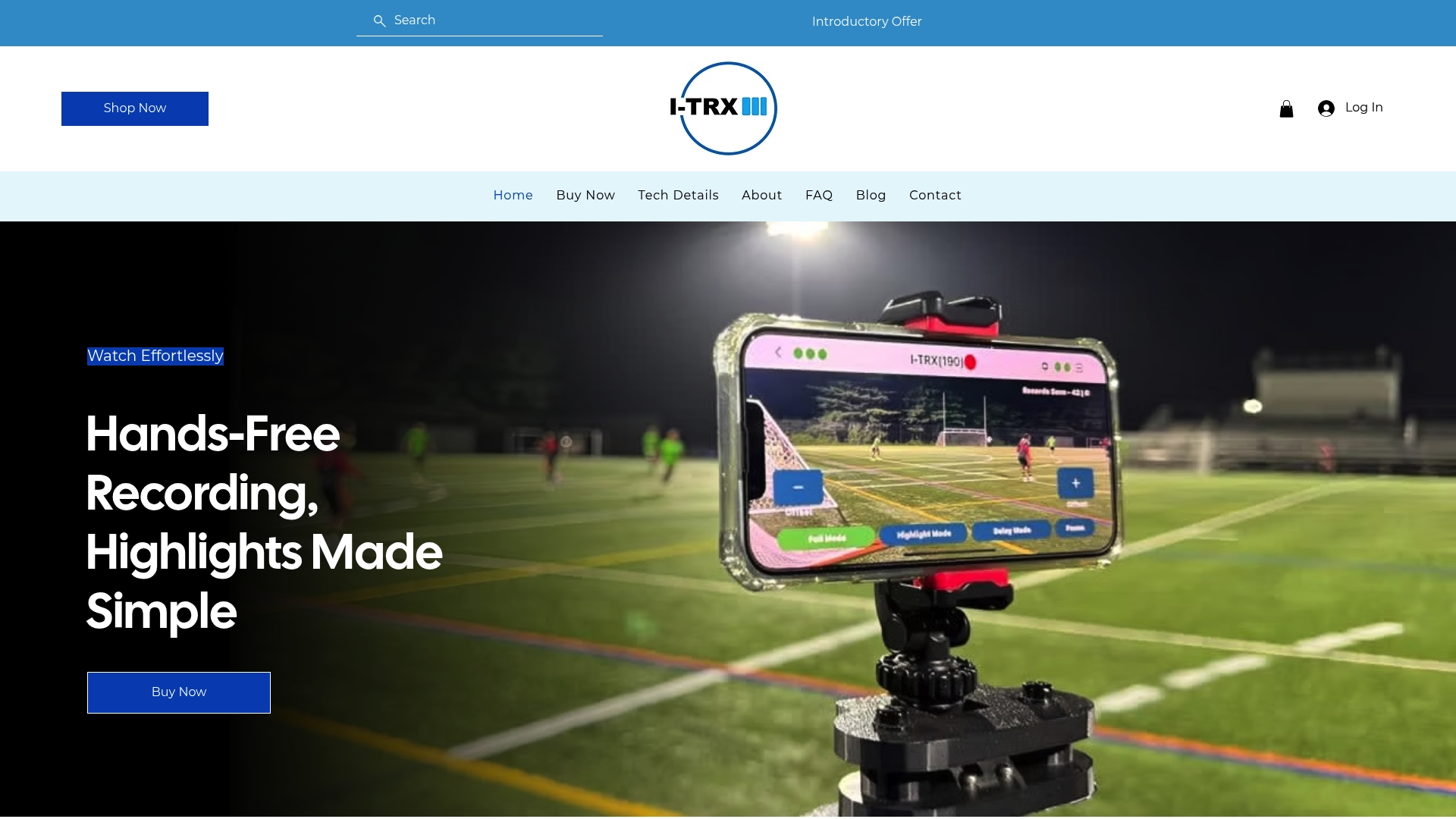
Here is what it does:
Follows one athlete automatically through a wearable sensor pack.
Saves highlights as the game goes on, with auto-zoom on the player.
Lets you share clips right away from your phone.
Before you buy, check iPhone compatibility, what comes in the box, and the return terms on our product page. The system is listed at 849 USD one-off. Ready to see it in detail? Visit the product page and check availability.
FAQ
Can I use a GoPro to film soccer games?
Yes, a GoPro can document a game, but a single wide-angle camera usually makes players look small and distant. Plan for elevation, stabilization, battery life and storage, and test the setup at practice before the tournament. Also check the event’s rules, since some ban action-camera mounts.
What is the most prestigious tournament in soccer?
The FIFA World Cup is widely considered the most prestigious soccer tournament, and its full history from 1930 to 2026 is well documented. Official films of past editions are part of the sport’s documentary record.
How do I film soccer tournaments if I need permission?
Contact the organizer early and ask for the written media policy. Ask about credentials, camera height, tripods, filming locations, livestreaming and commercial use, and keep their reply for your records.
What should I ask a videographer to put in writing?
Ask who owns the recordings, whether you get original files or a streaming link, the delivery date, and what sharing is permitted. Also confirm whether commercial highlight editing is allowed and whether any organizer fees apply.
Sources
Comments